 Viewry
Every Apple UI framework, live.
Viewry is a library of live demos of Apple's UI frameworks. Change a demo's parameters and watch its code follow, on iPhone, iPad, Mac and Apple Watch.
 Coming soon to the App Store
Free to download · No account needed · Viewry Pro from $2.99 a month
How it works
From curious to working code in three steps.
-
Pick an API
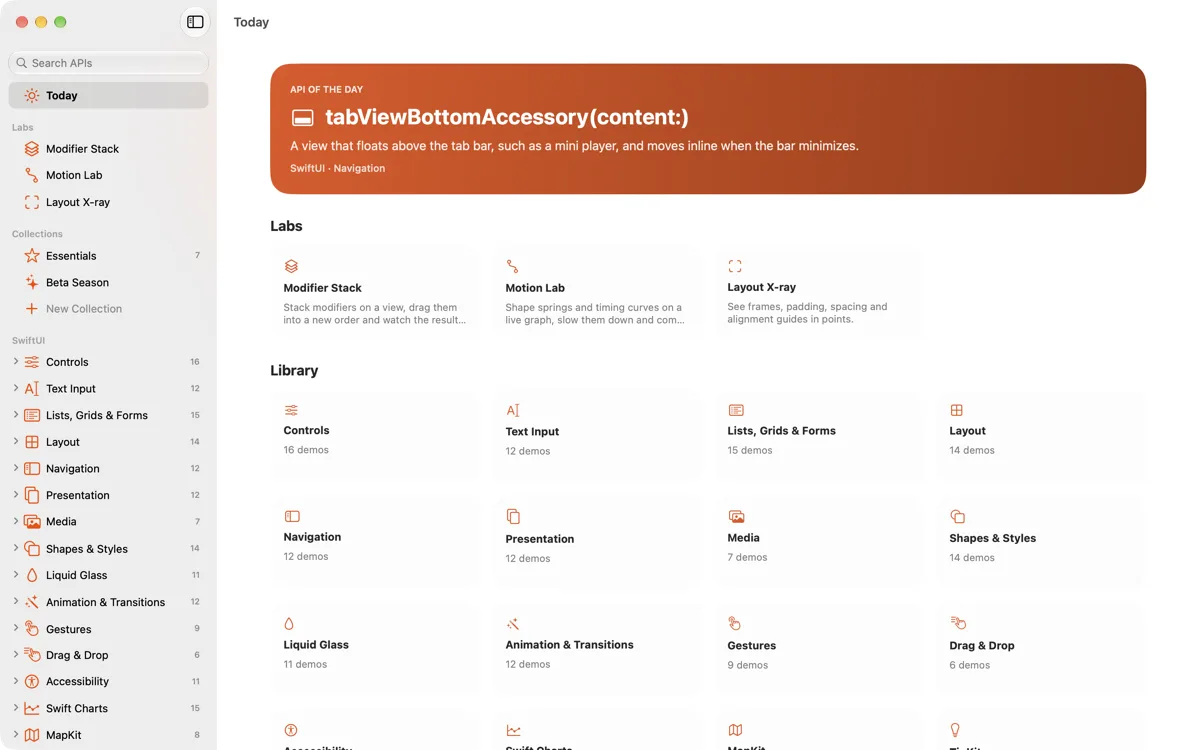
Browse the library by framework and section, start from the API of the Day, or press ⌘K and type a few letters.
-
Play with it
Every entry is a live demo. Change its parameters in the inspector and the demo and its code change together. Reset puts it back.
-
Take the code
Copy it, save it as a Swift file with a
#Preview, or open it as a Swift Playgrounds app and keep building.
A look inside
Real demos, in real frames.
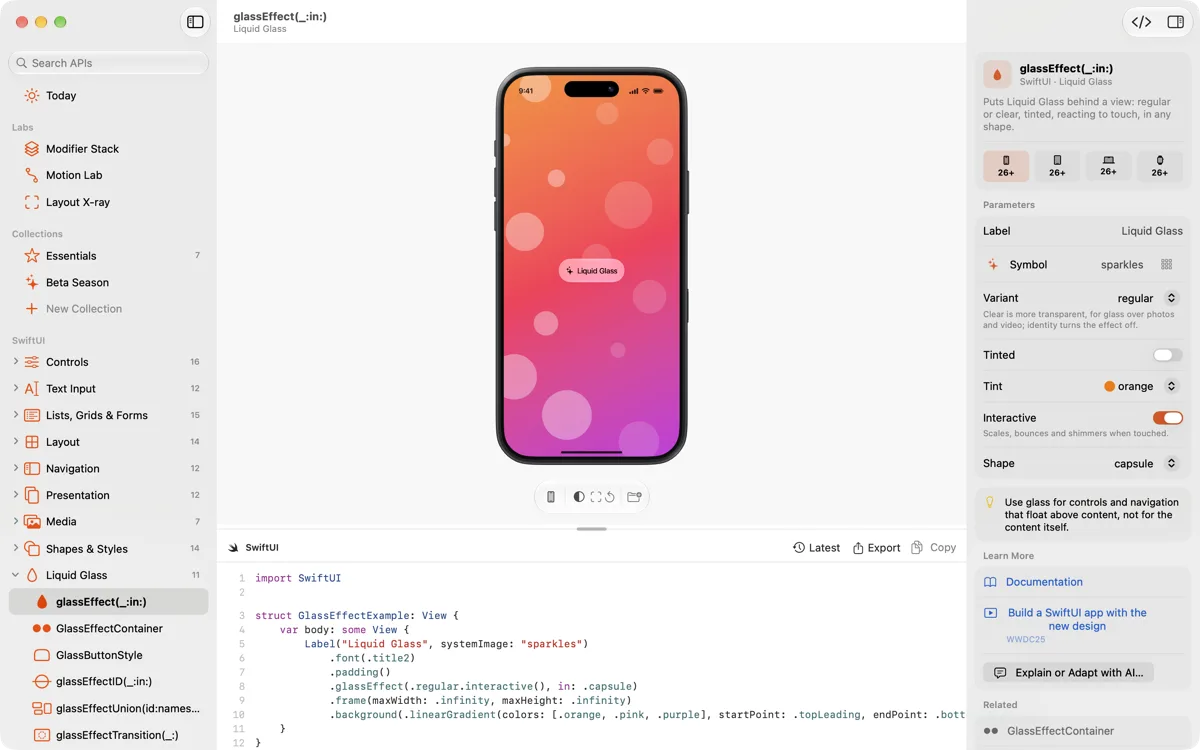
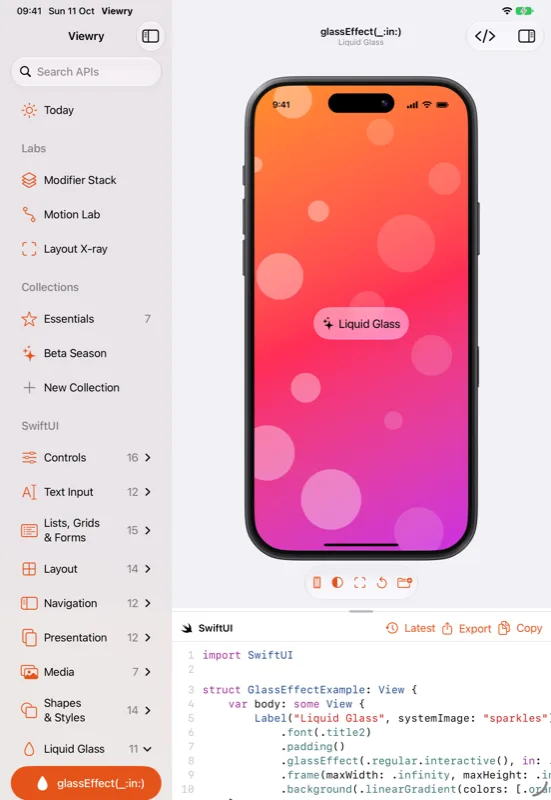
Every demo runs live in Viewry, inside device frames drawn in code: iPhone, iPad, Mac and Apple Watch in 42, 46 and 49 mm.
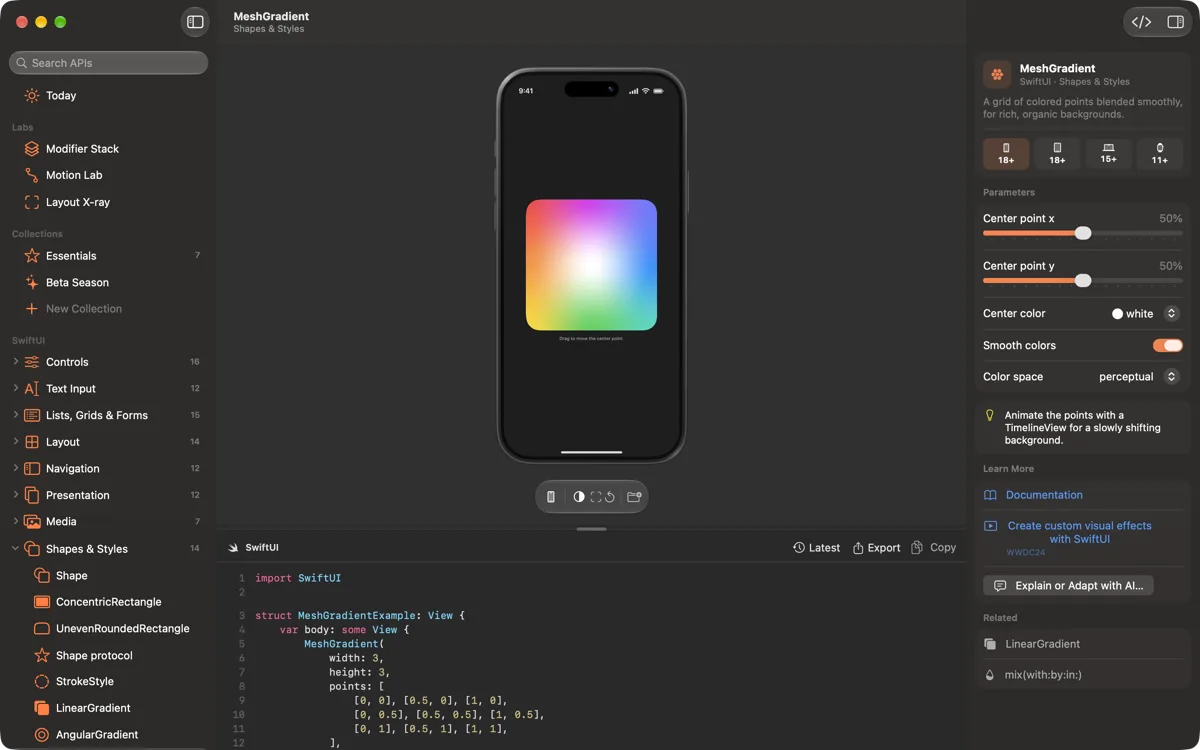
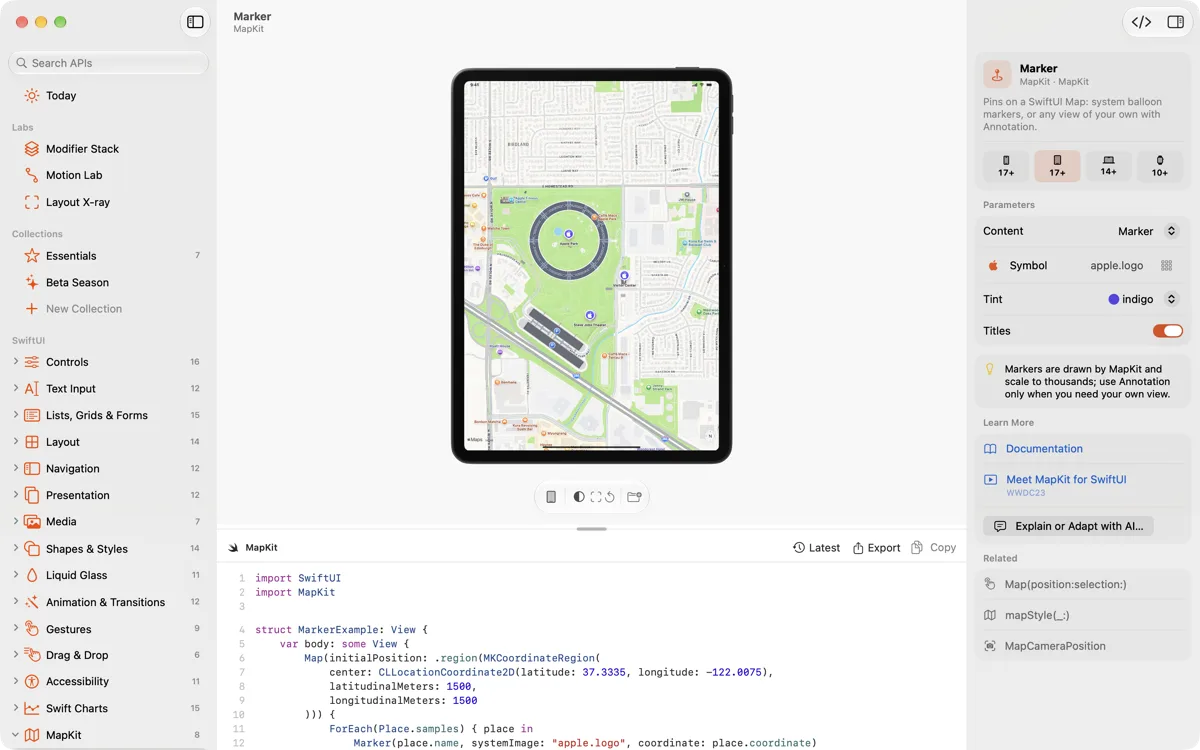
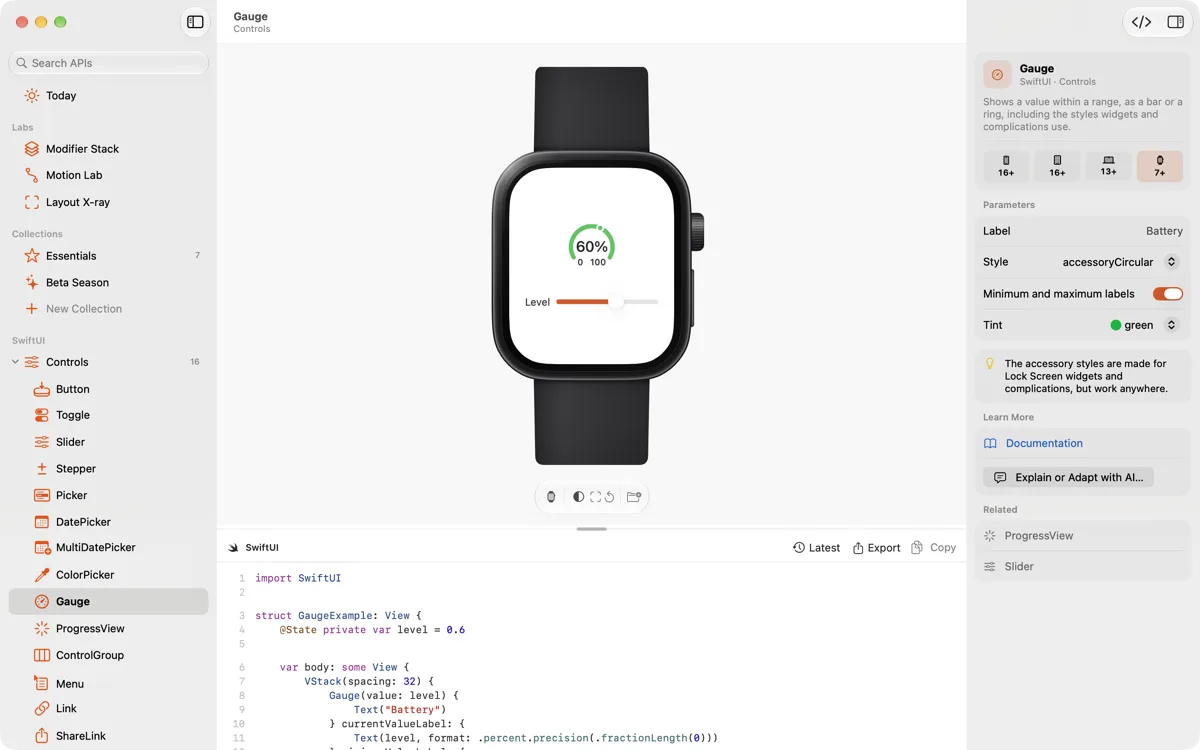
Real captures of Viewry on the Mac.
The library
Every framework. One library.
SwiftUI from the first Button to Swift Charts, MapKit and TipKit. The foundations of Apple's design. UIKit and AppKit beside their SwiftUI equivalents. The system's own experiences, from widgets to StoreKit. Hundreds of APIs, and every one is a live demo.
SwiftUI
ControlsText inputLists, grids, tables and formsLayoutNavigationPresentationMediaShapes and stylesLiquid GlassAnimation and transitionsGesturesDrag and dropAccessibilitySwift ChartsMapKitTipKitFoundations
ColorMaterialsTypography and Dynamic TypeSF SymbolsHapticsSoundUIKit and AppKit
Controls side by side with SwiftUIRepresentables, both waysSystem experiences
WidgetsLive ActivitiesControl Center controlsApp IntentsStoreKit views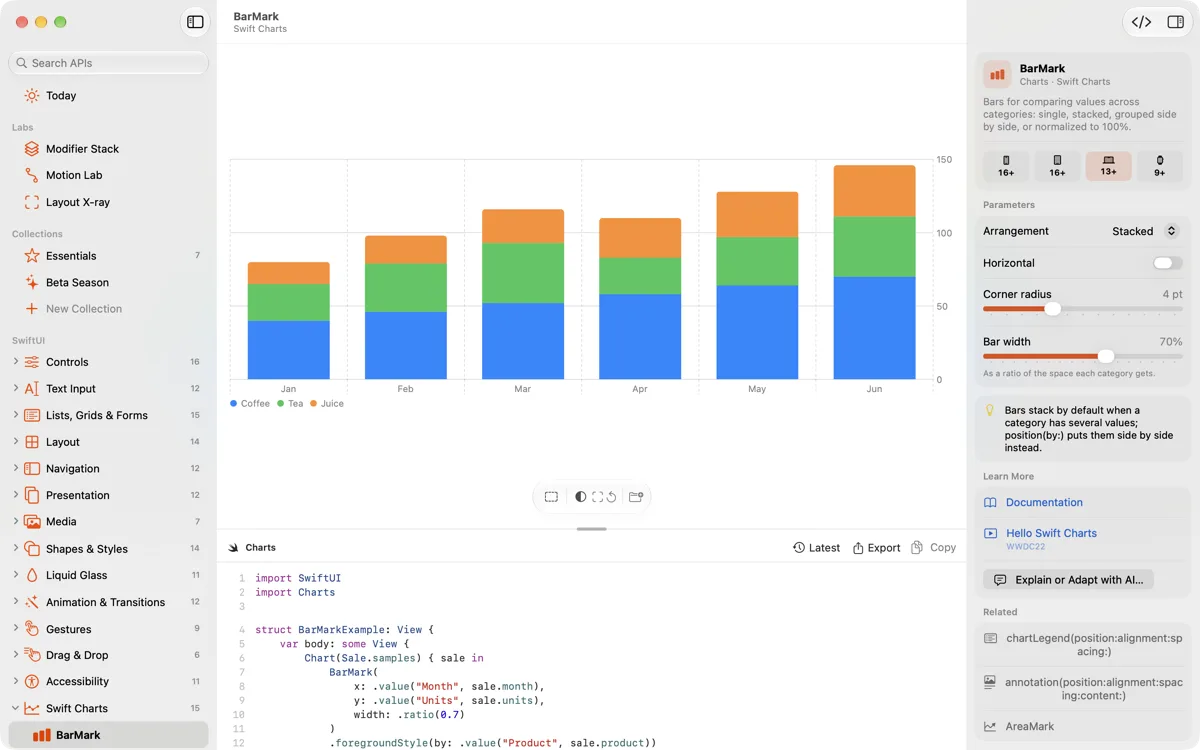
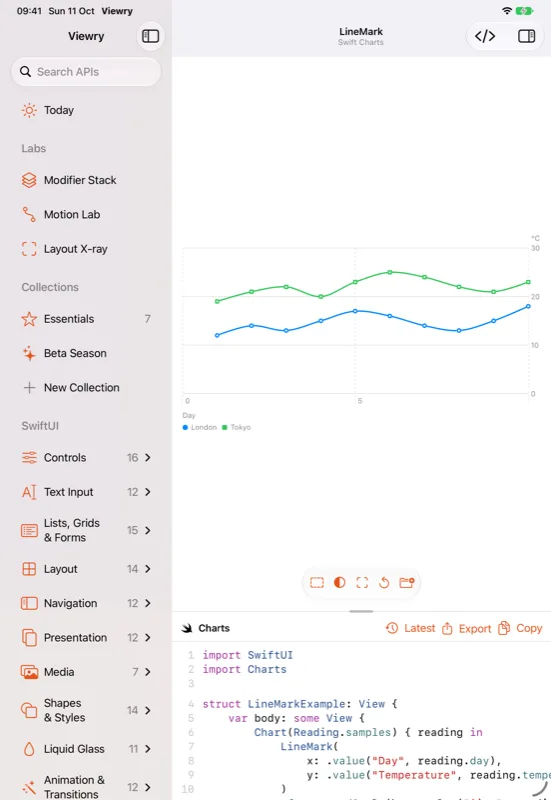
Live parameters, live code
Change it. Watch the code follow.
Every demo has its parameters in an inspector. Move a slider or pick an option, and the demo and its code change together, with the line that changed highlighted. Reset takes any demo back to where it started.
- Availability badges for every platform
- Links to Apple's documentation and the WWDC sessions behind each API
- Copy the code, or save a
.swiftfile with a#Preview - Open any demo as a Swift Playgrounds app (Pro)
- Explain or adapt a demo's code with AI, using your own Anthropic API key (Pro)
Every device, every setting
See it the way your users will.
Preview any demo in Viewry's own device frames, drawn in code, then switch the environment: light or dark, Dynamic Type all the way to AX5, right to left, another language, Increase Contrast, Reduce Motion and Bold Text.
Device frames
iPhoneiPadMacApple Watch 42 mmApple Watch 46 mmApple Watch Ultra 49 mmEnvironment
Search
Find anything in a keystroke.
Press ⌘K for a command palette that jumps anywhere. Search forgives typos and understands initials, so “glas efect” still finds glassEffect.
- Demos in Spotlight, and Shortcuts and Siri actions that open them
- An API of the Day widget
- Look up any API from the Mac's menu bar and copy its code (Pro)
Code for older systemsPRO
Code for the systems you support.
Pick the oldest iOS, macOS or watchOS your app supports, say iOS 17, and the code gets the if #available checks and fallbacks it needs. Paste it straight into an app that isn't on the newest system yet.
- One deployment target, for every demo you open
- Availability checks and fallbacks written into the code
RecipesPRO
Whole screens, ready to start from.
Recipes put the pieces together into complete, working screens you can study, tweak and take with you.
- Onboarding, settings, a paywall and an empty state
- Load and show remote data, and persist it with SwiftData
- An async image grid, debounced search and deep links
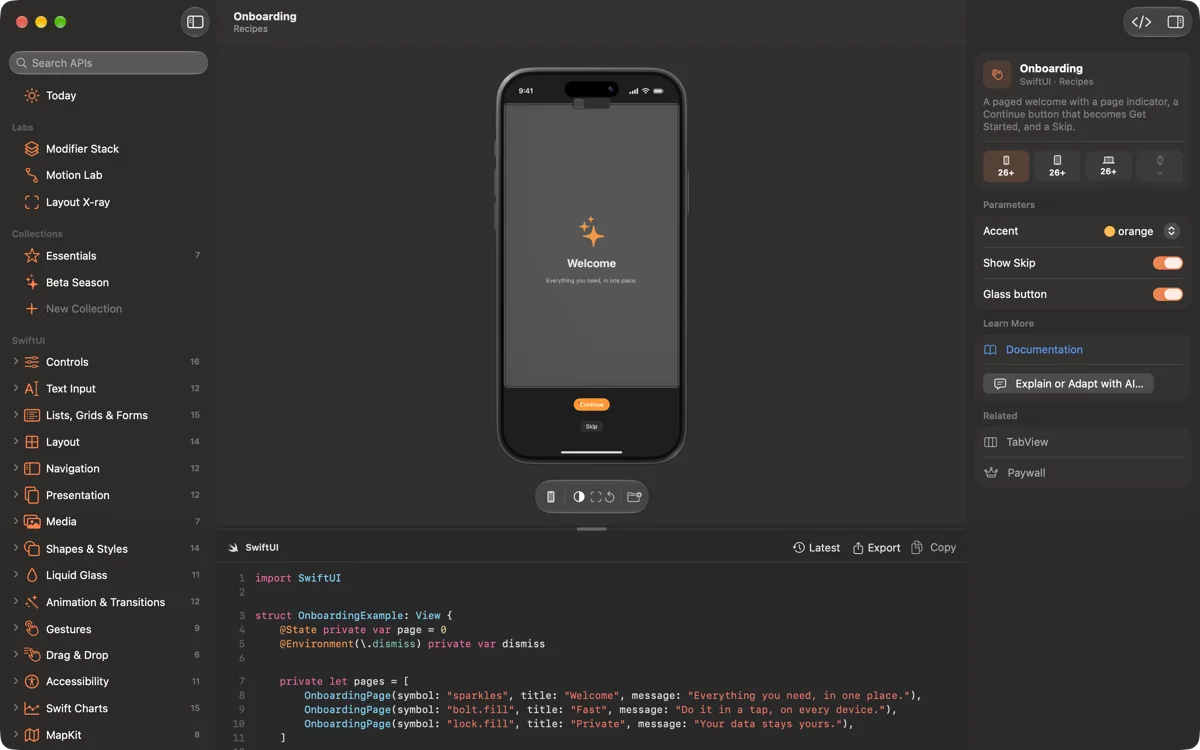
Labs
See how SwiftUI thinks.
Three labs for what's hard to learn from documentation alone: why modifier order matters, how an animation feels, and where every point of a layout goes.
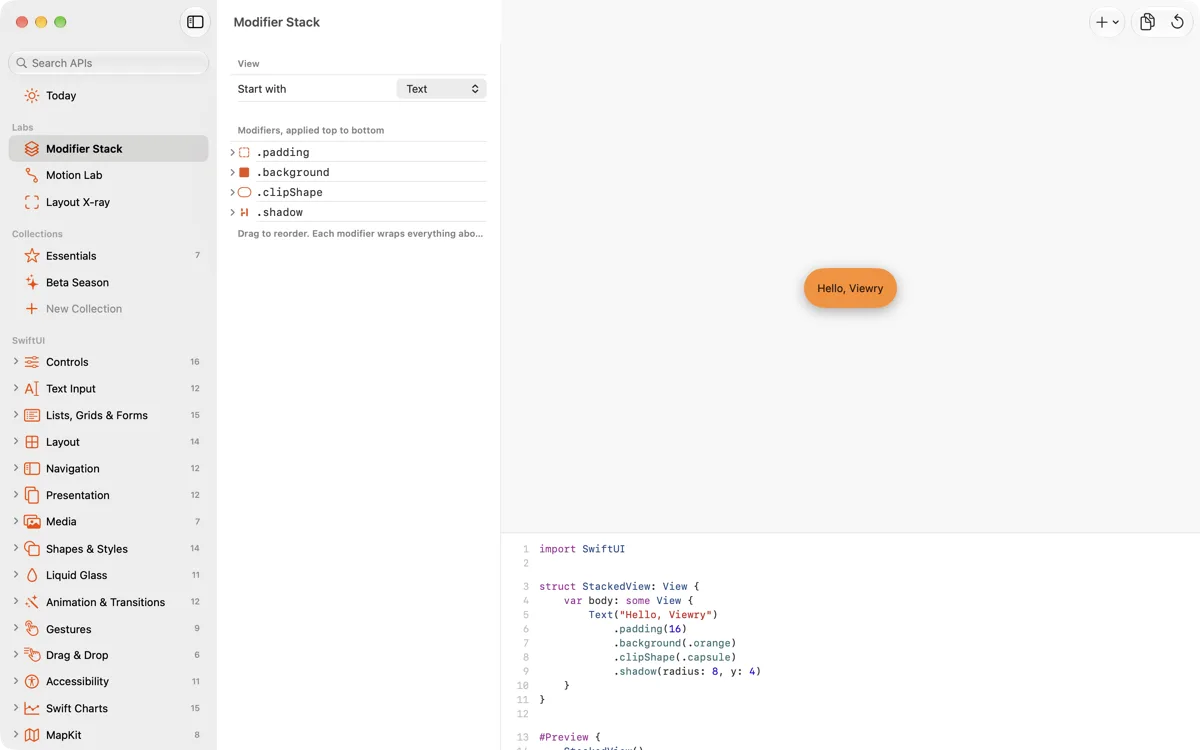
Included in Viewry ProModifier Stack
Add modifiers, drag them into a new order, and watch the result and the code update together.
- Build a stack of modifiers on a view
- Drag to reorder and see why order matters
- The code stays in step with every change
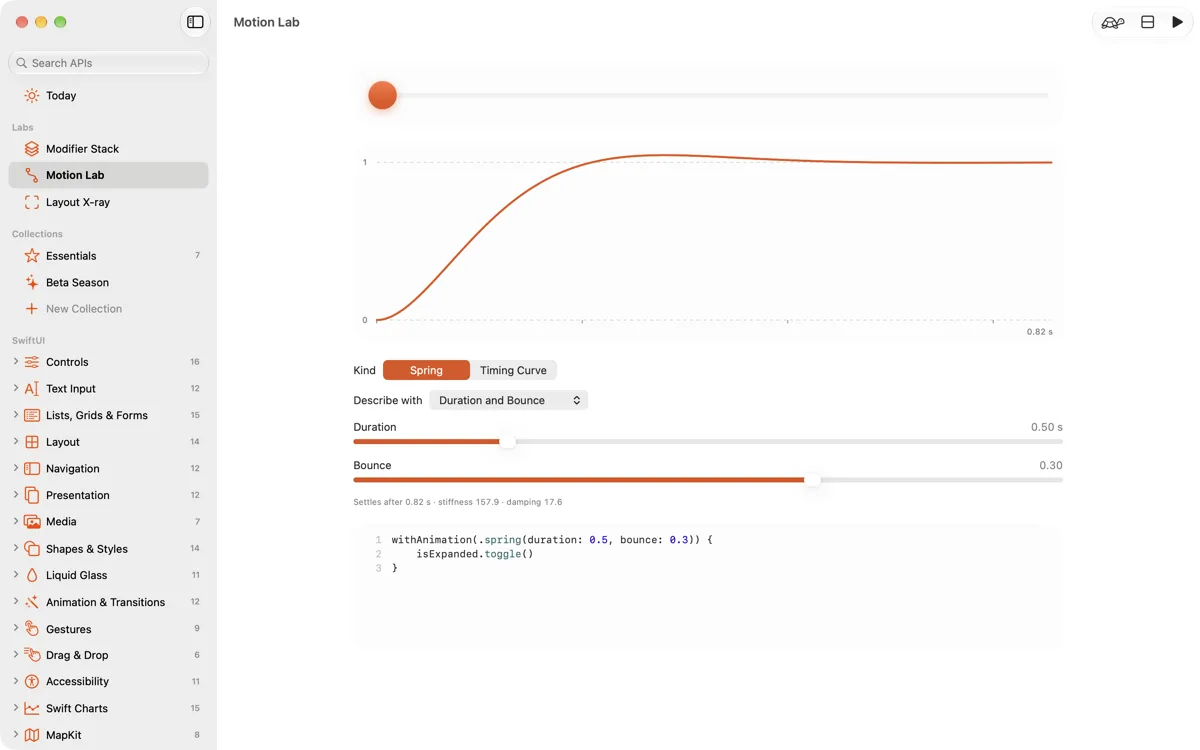
Motion Lab
Shape a spring or a timing curve on a live graph, then play it back and feel the difference.
- Duration in seconds, bounce, response and damping
- 0.25× slow motion
- Two curves side by side, to compare
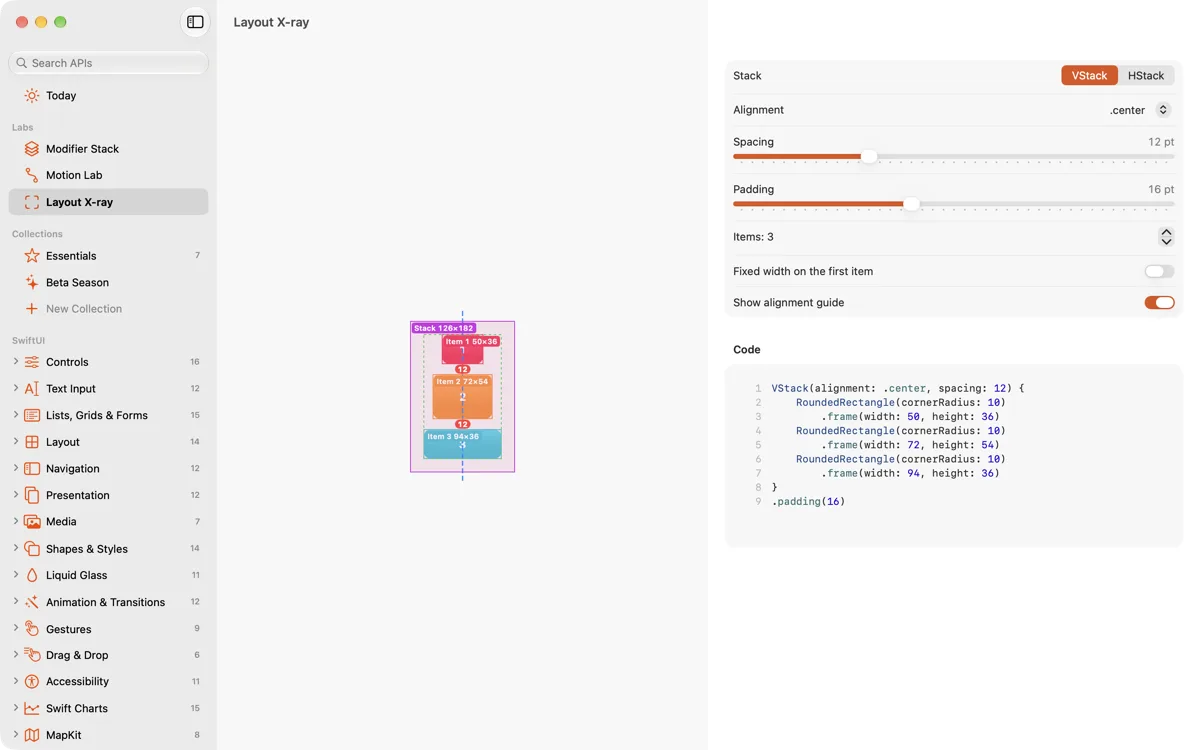
Layout X-ray
Turn it on over any demo to see its frames, padding, spacing and alignment guides, measured in points.
- Works on every demo in the library
- Frames, padding and spacing in points
- Alignment guides, drawn where they fall
And so much more
Everything you reach for while building.
SF Symbols browser
Browse symbols and try their rendering modes, variants and symbol effects, with the code to match.
Haptics and sound
Feel the system's haptics, design your own with a Core Haptics pattern designer, and hear the sound APIs.
Color, materials and type
The foundations of Apple's design: system colors, materials, typography and Dynamic Type.
UIKit and AppKit
Controls side by side with their SwiftUI equivalents, and representables in both directions.
Widgets and Live Activities
Widgets in every family, including the Lock Screen, StandBy and interactive widgets, plus Live Activities and the Dynamic Island.
Intents, controls and StoreKit
App Intents with Shortcuts and Spotlight, Control Center controls, and StoreKit's own views.
Collections
Keep the demos you need with your own notes, synced through iCloud, and share a collection as a file. Three free, unlimited with Pro.
Beta SeasonPRO
Each June, the new APIs from WWDC, live while the betas run. The 2027 season starts at WWDC 2027.
Explain and adapt with AIPRO
Have AI explain a demo, or adapt its code to your app, with your own Anthropic API key, kept in the Keychain.
iPhone, iPad, Mac and Apple Watch
One app. Every device you build for.
Viewry is one Universal Purchase: buy Viewry Pro once and it unlocks on all of them.
Mac
A three-column window: the library, a canvas with a floating Liquid Glass bar and a code drawer, and the inspector. Plus a Welcome window, a tour and What's New.
iPad
Three columns, with the library, the live canvas and the inspector side by side.
iPhone
The library as a list, demos full screen, and their parameters and code in a sheet.
Apple Watch
Watch demos, live on your wrist, with complications and Smart Stack widgets.
Collections sync through your own iCloud, on every device.
Apple Watch
Try watch APIs on your wrist.
The Apple Watch app runs its demos live, so you can feel the Digital Crown and the haptics for yourself.
Live watch demos
The Digital Crown, haptics, double tap, vertical paging, NavigationSplitView, toolbars and Always On.
Complications
Complications and Smart Stack widgets, right on your watch face.
Watch and iPhone
Show Code on iPhone and Send to Apple Watch move a demo between your wrist and your phone.
Your collections
The collections you keep on your other devices, synced to your wrist.
No account. No analytics. No tracking.
There's nothing to sign up for, and Viewry has no servers. Collections sync through your own iCloud. If you use Explain or Adapt, the demo's code and your request go straight to Anthropic with your own key, and only then.
- Data Not Collected
- Map demos never ask for your location
- Your key stays in your Keychain
Pricing
Free to explore. Pro to go deeper.
The whole library is free. Viewry Pro adds the labs, code for older systems, Recipes and the tools that save you time.
Free
The whole library, live.
Forever
- Every demo in the catalogue, and the Foundations
- Live parameters, and copy the code
- Search, and links to Apple's documentation
- Environment switches and device frames
- Three collections
- iPhone, iPad, Mac and Apple Watch
Coming soon to the App Store
Viewry Pro
The labs, and everything that goes deeper.
That's $1.25 a month, billed yearly. Save 58% over monthly.
- Modifier Stack, Motion Lab and Layout X-ray
- Code for older systems, from your deployment target
- Recipes, and Beta Season every June
- Open demos as Swift Playgrounds apps
- Unlimited collections
- Menu bar lookup on the Mac
- Explain and adapt code with AI, using your own Anthropic API key
Coming soon to the App Store
Prices in US dollars; App Store prices vary by country. The free trial is for new subscribers to the yearly plan, and Viewry can remind you two days before it ends. Subscriptions renew automatically until cancelled in your Apple Account settings (see the Terms of Use). The AI features use your own Anthropic API key, billed by Anthropic.
FAQ
Questions, answered.
When can I get Viewry?
Viewry 1.0 is coming soon to the App Store, for iPhone, iPad, Mac and Apple Watch. It needs iOS 27, iPadOS 27, macOS 27 or watchOS 27.
Is Viewry really free?
Yes. Every demo in the catalogue and the Foundations are free, with live parameters, copying the code, search, documentation links, environment switches and three collections. Viewry Pro adds the three labs, code for older systems, Swift Playgrounds export, unlimited collections, Recipes, Beta Season, menu bar lookup on the Mac, and explaining and adapting code with AI.
Do I need an account?
No. There's nothing to sign up for. Collections sync through your own iCloud, and purchases go through your Apple Account.
Is the code real?
Yes. Every entry is a live demo, and its code stays in step with its parameters, with the line that changed highlighted. Copy it, save it as a .swift file with a #Preview, or, with Viewry Pro, open it as a Swift Playgrounds app.
How do the AI features work?
Add your own Anthropic API key, then choose Explain or Adapt on a demo. Viewry sends the demo's code and your request directly to Anthropic, and usage is billed to your Anthropic account. The key stays in your Keychain. Both are part of Viewry Pro; the privacy policy has the details.
Does Pro unlock on all my devices?
Yes. Viewry is one Universal Purchase across iPhone, iPad, Mac and Apple Watch. Sign in with the same Apple Account and choose Restore Purchases if needed.
Learn the frameworks by playing with them.
Viewry is coming soon for iPhone, iPad, Mac and Apple Watch. Questions in the meantime? Email support@viewry.app.
Coming soon to the App Store